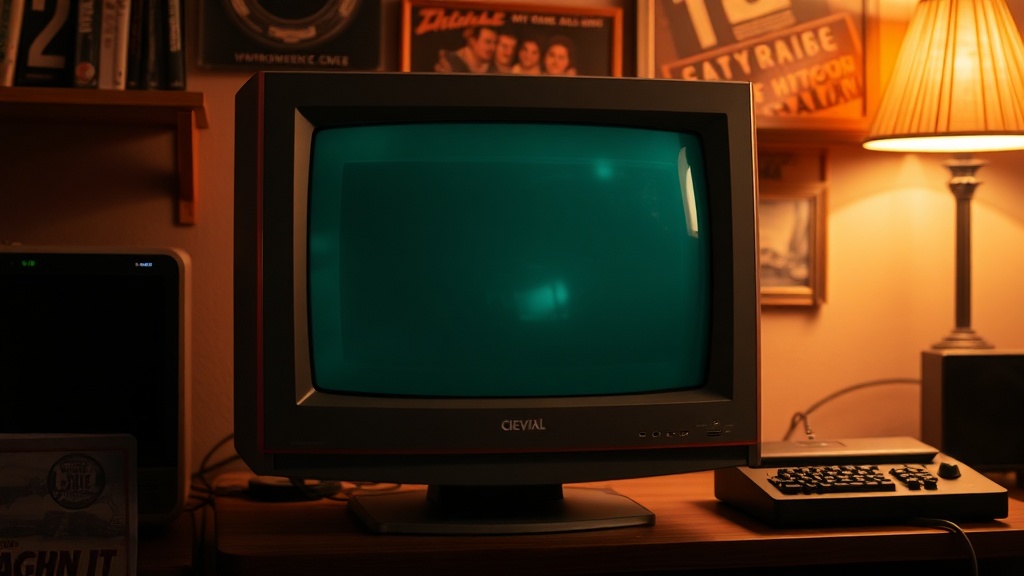
Finding Your First CRT Monitor for Retro Gaming

Are you tired of seeing your favorite retro games look blurry or "washed out" on a modern LCD screen? This guide explains how to select, test, and set up a Cathode Ray Tube (CRT) monitor to get that authentic-looking pixel-perfect experience for your vintage hardware.
Modern flat screens are great for movies, but they're terrible for 8-bit and 16-bit gaming. They try to upscale everything, which ruins the sharp edges and color palettes of systems like the NES or the Commodore 64. A CRT monitor uses electron beams to hit a phosphor layer, creating a natural glow and scanline effect that a modern screen just can't mimic. We'll look at the technical specs you need to know, what to look for in the wild, and how to avoid buying a heavy piece of junk.
What Kind of CRT Monitor Should I Buy?
You should prioritize a monitor that matches the native resolution and signal type of your specific hardware. If you're playing a console like the Sega Genesis, you want a standard television; if you're using a vintage PC, you need a dedicated VGA or RGB monitor.
There are three main categories of displays you'll encounter in the retro gaming world:
- Standard TVs (NTSC/PAL): These are the classic "box" TVs. They use composite video (the yellow RCA plug). They are easy to find and cheap, but they can be a bit "fuzzy" because they aren't designed for high-resolution computer text.
- Computer Monitors (VGA/D-Sub): These are much sharper. If you're running a vintage PC or a specialized upscaler, these provide much clearer lines.
- PVM/Professional Monitors: These are the "gold standard" for collectors. Brands like Sony and JVC made these for broadcast-quality video. They are incredibly sharp and have much better color accuracy, but they can be expensive and heavy (seriously, they're heavy).
A lot of people start with a standard TV from a thrift store. It works, but if you want that crisp, arcade-like look, you'll eventually want to move toward a dedicated monitor. It's a bit of a rabbit hole—one I've definitely fallen down myself.
How Much Does a CRT Monitor Cost?
The price of a CRT varies wildly depending on whether you are buying a basic consumer television or a professional-grade monitor. You can find basic TVs for under $20, but high-end professional monitors can go for hundreds of dollars.
Here is a rough breakdown of what to expect when hunting for gear:
| Type of Display | Typical Price Range | Best For |
|---|---|---|
| Standard Thrift Store TV | $5 - $25 | Casual gaming, NES/SNES |
| Consumer Computer Monitor | $20 - $50 | Vintage PC gaming, DOS-era |
| Professional Monitor (PVM/BVM) | $150 - $600+ | High-end arcade emulation, serious collectors |
| High-End Gaming CRT (Sony Trinitron) | $50 - $150 | Console gaming with great color |
Don't expect to find a bargain on the high-end stuff. As the Wikipedia entry for Cathode-ray tubes notes, these devices are becoming rarer as they are phased out of production. This scarcity drives up the price for the high-quality models that collectors crave. If you see a great deal on a Sony Trinitron, grab it. Those don't stay on the market long.
How Do I Test a CRT Before Buying?
You must test for geometric distortion, brightness, and any signs of internal component failure before you commit to a purchase. Never assume a heavy monitor is working perfectly just because the screen turns on.
If you're meeting someone in a parking lot or a garage, bring a small device to test the signal. A simple game console or even a basic video player is enough. Here is a checklist of things to look for:
- Geometric Distortion: Look at the edges of the screen. Are the corners rounded or warped? If the image looks like it's being pulled toward the center, the internal geometry might be broken.
- Convergence: This is a big one. Look at a white screen or a single color. Do you see "color bleeding" or red/green shadows at the edges of objects? This means the electron guns are out of alignment.
- Brightness and Contrast: Turn the brightness up and down. If the screen stays dark or looks extremely dim even at max settings, the tubes might be dying.
- Physical Condition: Check the casing for cracks and the buttons for responsiveness.
The catch? Most people selling these won't have a way to test them for you. You'll have to be your own technician. If you can't bring a console, at least bring a battery-powered device that outputs a signal to ensure the screen actually displays an image. It's better to walk away from a bad deal than to haul a 50-pound paperweight home.
A Note on Safety
Before you even touch the back of a CRT, you need to understand that they are dangerous. Unlike a modern monitor, a CRT contains a high-voltage capacitor that can hold a charge for a long time—even after it's been unplugged. If you aren't experienced with electronics, don't try to open the casing to "fix" it. I've seen too many people get burned trying to be a hero with a screwdriver. If you're just looking to play games, keep the shell intact.
Which Connection Should I Use?
The best connection depends entirely on the output of your device and the input of your monitor. Using the right cable is the difference between a blurry mess and a sharp, beautiful image.
If you're using a computer, you'll likely use a VGA cable. If you're using a console like a PlayStation 1, you'll use RCA cables (Composite). However, if you want to get serious, you'll want to look into RGB SCART or Component cables. Component uses the Red, Green, and Blue RCA plugs to provide a much cleaner signal than standard composite. It's a small change that makes a massive difference in how much detail you can actually see.
If you are working with older computers, you might find yourself looking at specialized video cards. This ties back to the history of how we interacted with machines—much like the era discussed in the Golden Age of Home Computers. Back then, the monitor was an extension of the computer's soul. To get that same feeling today, you need the right interface.
Finding the right monitor is a process of trial and error. You might buy a cheap TV, realize it's too blurry, and then spend weeks searching for a decent monitor. It takes patience. But once you see a game like Sonic the Hedgehog or The Legend of Zelda on a screen that actually respects its original art—you'll realize why it's worth the effort.
Keep an eye on local thrift stores and even Facebook Marketplace. People often sell these for very little because they just want the heavy thing out of their house. Good luck with the hunt.