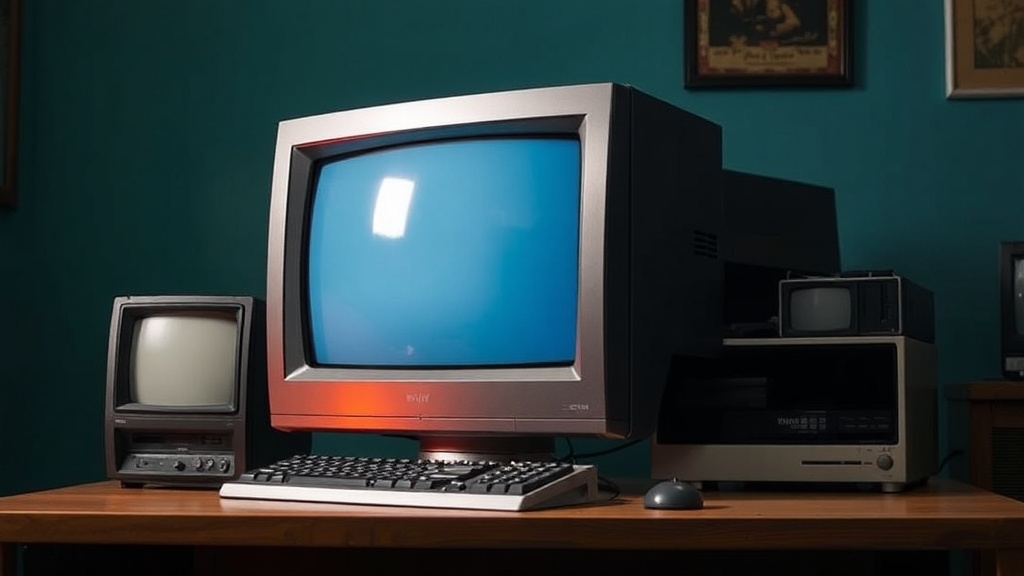
Why You Should Never Stack Vintage CRT Monitors

Quick Tip
Always store CRT monitors side by side on individual shelves, never stacked, to prevent magnetic field interference and structural damage from excess weight.
Stacking vintage CRT monitors might seem like a space-saving solution for growing collections, but the risks far outweigh any convenience. This post breaks down exactly why stacked CRTs pose serious threats to your equipment — and what safer storage alternatives exist for collectors managing multiple displays.
Can Stacking CRT Monitors Damage Them?
Yes — absolutely. CRT monitors contain cathode ray tubes made of thick glass under vacuum pressure. Stacking places enormous weight on the tube's weakest points. A standard 17-inch CRT weighs between 35 and 50 pounds. Two units stacked means the lower monitor supports 50+ pounds of concentrated pressure. Glass stress fractures develop slowly — then suddenly.
The neck of the CRT (that narrow funnel at the back) is particularly vulnerable. It's thin glass. One awkward shift, one bump during repositioning — crack. The vacuum seal breaks. That monitor becomes a very heavy paperweight. Repair? Nearly impossible. Parts? Scarce.
What About the Screen Itself?
CRT screens aren't flat panels. They're curved glass — convex on the outside, phosphor-coated on the inside. Stacking another monitor on top creates point-pressure contact. Over time, this causes screen burn-in, discoloration, or physical deformation. (Even a soft blanket between units won't distribute weight evenly — the center mass still concentrates force.)
The phosphor coating degrades under pressure. Colors shift. Brightness dims. That pristine Sony Trinitron GDM-FW900 you hunted for years? Ruined. The Video Game History Foundation notes that CRT preservation requires stable, supported positioning — never vertical stacking.
| Storage Method | Risk Level | Best For |
|---|---|---|
| Stacking (any height) | High — glass fracture, tube damage | Nobody. Don't do it. |
| Side-by-side on shelving | Low — stable weight distribution | 2-4 monitors, frequent access |
| Individual rolling carts | Minimal — full mobility, zero pressure | Heavy units (21"+ PVMs, broadcast monitors) |
| Original factory boxes | Low — designed for transport/storage | Long-term storage, rare units |
Is There a Safe Way to Stack CRTs Vertically?
No safe method exists for true vertical stacking. That said, specialized shelving with individual cubbies approximates stacking safely. The IKEA KALLAX series works surprisingly well — each cube supports 29 pounds (check your CRT's weight first). Place monitors in separate compartments. No unit rests on another.
For heavier broadcast monitors — those 80-pound Sony PVM-20L5s or 160-pound BVM-D32s — industrial shelving is mandatory. Look for units rated 200+ pounds per shelf. The catch? Floor loading. A collection of ten 20-inch PVMs approaches half a ton. Verify your floor joists can handle concentrated weight. Basements with concrete slabs work best.
Worth noting: temperature matters. CRTs stored in unheated garages or attics experience expansion/contraction cycles. Solder joints crack. Capacitors degrade. Combine that with stacking stress — catastrophic failure becomes inevitable. Climate-controlled spaces aren't optional for serious collectors.
The honest truth? CRTs demand space. They demand respect for their physics. Stack books. Stack DVDs. Stack anything else. Those curved glass tubes, phosphor coatings, and vacuum seals — they're irreplaceable artifacts of computing history. Treat them that way.