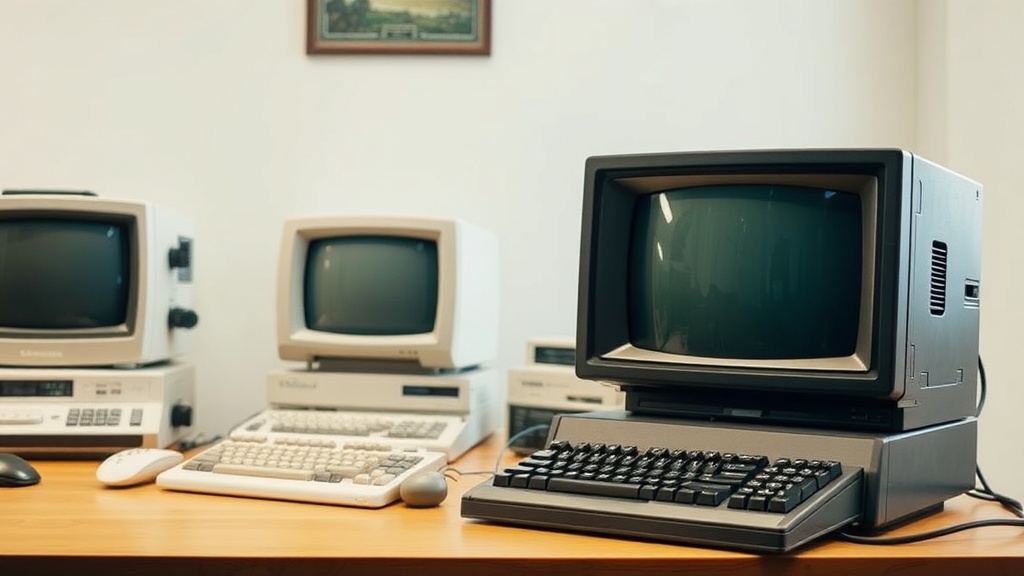
The Complete Beginner's Guide to Collecting Vintage Computers

What Makes a Computer "Vintage" Worth Collecting?
A vintage computer becomes collectible when it's at least 20 years old, holds historical significance, and represents a milestone in computing evolution. This guide covers everything from identifying worthwhile machines to storage, restoration, and building a collection that actually matters—whether you're hunting for an original IBM PC or a Commodore 64 that defined home computing in the 1980s.
The vintage computer market has exploded. What started as a niche hobby for retired engineers has become a serious collecting category, with rare machines fetching thousands at auction. But here's the thing—not every old computer is valuable. The basement-dwelling Pentium 4 from 2003? Probably destined for e-waste. An Apple Lisa in working condition? That's a different story entirely.
Collecting vintage computers isn't about nostalgia alone. It's about preserving technological history, understanding how the digital world took shape, and—let's be honest—owning a piece of that history. The machines that launched the personal computing revolution are becoming harder to find. Capacitors leak. Plastic yellows. Hard drives seize. Time isn't kind to old electronics.
That said, starting a collection doesn't require deep pockets or engineering degrees. This guide walks through the practical steps: where to look, what to avoid, how much to pay, and how to keep these machines alive once they're in your hands.
Where Should Beginners Look for Vintage Computers?
The best hunting grounds for vintage computers include estate sales, Facebook Marketplace, Craigslist, eBay, retro computing conventions, and local electronics recycling centers. Each source has trade-offs between price, authenticity, and the work required to verify condition.
Estate sales remain the holy grail for serious collectors. When someone who's been in computing since the 1970s passes away or downsizes, entire basements and attics clear out. The competition is real—you'll compete with resellers who arrive at 6 AM. But the prices? Often a fraction of market value. Bring cash. Bring a truck. Bring patience.
Facebook Marketplace and Craigslist deliver local deals without shipping headaches. The key is search-term creativity. Most sellers don't know they have a "Commodore Amiga 500." They list "old computer" or "vintage electronics." Set alerts. Check daily. Move fast—good deals vanish in hours, not days.
eBay offers the widest selection but demands skepticism. "Untested" usually means "broken." "Powers on" tells you almost nothing. Shipping vintage computers is risky business; CRT monitors crack, plastic bezels shatter, and circuit boards flex. Ask for photos of the motherboard. Request video of the machine booting. The extra effort saves headaches later.
Retro computing conventions—like VCF East or local swap meets—let you inspect machines in person. You can test keyboards, check for yellowing, and haggle face-to-face. Plus, the community knowledge is invaluable. Bring a list of questions. Most collectors love talking shop.
Red Flags to Avoid
Not every "barn find" is treasure. Heavy battery corrosion on the motherboard often means irreparable damage. Missing proprietary power supplies can cost more than the computer itself to replace. Water damage, rodent evidence, or that unmistakable smell of mold? Walk away. Some machines aren't worth saving.
How Much Should You Pay for a Vintage Computer?
Entry-level collectible computers range from $50 to $300, mid-tier machines cost $300–$800, and rare or historically significant systems can exceed $2,000. Condition, completeness, and provenance dramatically affect pricing.
| Machine | Typical Price Range | What Affects Value | Beginner-Friendly? |
|---|---|---|---|
| Commodore 64 | $50–$150 | Revision number, power supply, boxed software | Yes—parts are abundant |
| Apple IIe | $100–$300 | Monitor inclusion, disk drives, expansion cards | Yes—very repairable |
| IBM PC 5150 | $300–$800 | Original configuration, keyboard type, monitor | Moderate—heavy, hard to ship |
| NeXT Cube | $500–$1,500 | Working optical drive, original monitor | No—rare parts, finicky |
| Apple Lisa | $2,000–$8,000 | Working Twiggy drives, original documentation | No—extremely rare |
The catch? Prices fluctuate. A YouTube feature or documentary can spike interest overnight. Buy what interests you—not what you think will appreciate. Collecting should be enjoyable, not speculative investing with extra steps.
Original packaging commands premiums—sometimes doubling or tripling value. But for beginners, working machines matter more than boxes. Prioritize functionality over completeness. You can always hunt for period-correct peripherals later.
What Do You Need to Get Started?
Beginners need three basics: a dedicated storage space with stable temperature and humidity, basic hand tools for opening cases and cleaning, and reference materials for identifying machines and troubleshooting. A multimeter helps. So does patience.
Storage is make-or-break. Vintage computers hate attics (heat kills capacitors) and basements (humidity invites corrosion). Aim for climate-controlled space—think closet in your living area, not garage. CRT monitors especially suffer in temperature extremes. They also weigh a ton. Plan accordingly.
Tools don't need to be fancy. A quality screwdriver set with various bits (old computers used everything from Phillips to Torx to proprietary screws). Isopropyl alcohol for cleaning. A soft brush for dust. Maybe a desoldering station if you plan to recap boards—replacing old capacitors before they leak and destroy traces.
Documentation matters. The Amiga Love community, Vintage Computer Federation forums, and dedicated wikis for specific machines are goldmines. Download service manuals while they're available. Host them on a local NAS. The internet forgets; collectors shouldn't.
Testing and Restoration Basics
Never plug in a vintage computer that sat dormant for decades. Power supplies often fail catastrophically—and take motherboards with them. Inspect first. Look for bulging capacitors, battery leakage, and obvious damage. Clean contacts with DeoxIT. Replace the power supply capacitors as preventive maintenance. It's tedious work. It's also necessary.
Recapping—replacing electrolytic capacitors—is the most common restoration task. Capacitors have finite lifespans, typically 20–30 years. When they fail, they leak corrosive fluid that eats through circuit boards. The damage can be irreversible. Learn to solder. Or find someone who does. Your collection depends on it.
Which Vintage Computers Hold Their Value Best?
Apple products, particularly early models from the pre-Jobs-return era, consistently appreciate due to cultural significance and finite supply. Prototype machines, limited production runs, and systems with documented historical connections command the strongest prices.
The Apple Lisa remains the blue-chip investment of vintage computing—fewer than 10,000 sold, revolutionary GUI, and direct lineage to the Macintosh. Working examples are museum pieces. The original Macintosh 128K carries similar prestige at more accessible prices.
IBM's PC 5150—the machine that defined "IBM compatible"—holds steady value. It's historically significant, well-documented, and relatively available. The Computer History Museum considers it one of the most important machines ever built. Collectors agree.
Commodore 64s are common (17 million sold), but certain revisions and regional variants attract premiums. The SX-64 portable—basically a luggable C64—commands $400–$800 in working condition. The Commodore 65 prototype? Six figures at auction. Rarity wins.
Obscure machines from failed companies often surprise. The 3DO console—technically a computer—has a dedicated following. BeOS-running BeBoxes are increasingly sought after. Japanese computers from Sharp, NEC, and Fujitsu that never saw Western release? Niche, passionate markets with serious collectors.
Building a Focused Collection
Scattershot collecting exhausts wallets and storage space. Better to specialize. Pick an era (8-bit, 16-bit, early GUI). Pick a manufacturer (Apple, Commodore, Atari, IBM). Pick a theme (portables, workstations, gaming systems). Depth beats breadth every time.
A focused collection tells a story. "Here's the evolution of home computing from 1977 to 1985." Or "These are the machines that lost to the IBM PC." Stories make collections interesting. Random accumulation of beige boxes does not.
How Do You Preserve and Display Vintage Computers?
Active use preserves vintage computers better than storage—regular power cycles keep capacitors formed, while powered-off machines slowly degrade. Display cases with UV protection prevent yellowing, and proper cable management reduces strain on aging connectors.
The retrobright debate rages. Hydrogen peroxide treatments can restore yellowed plastic to original color—but the process is temporary, and aggressive treatments damage plasticizers. Some collectors embrace the patina. Others obsess over restoration. Neither approach is wrong. Consistency within your collection matters more than which camp you join.
Documentation completes the display. Original manuals, software, and period advertising add context. A Commodore 64 sitting alone looks like e-waste. That same machine with original boxes, a 1541 disk drive, and a stack of games on 5.25" floppies? That's a time capsule.
Share what you build. Online communities, local user groups, and vintage computing festivals keep this hobby alive. Teach someone to load a program from cassette tape. Demonstrate why the Amiga was a decade ahead of its time. The machines are artifacts—the knowledge is what matters.