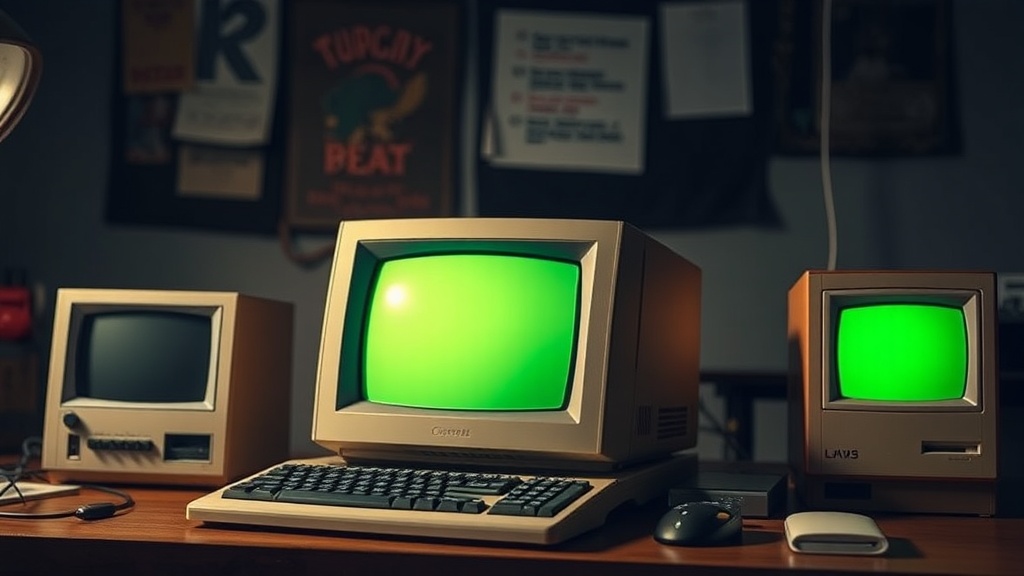
Reviving the Classics: key Tips for Restoring Vintage Computers

What Does Restoring a Vintage Computer Actually Involve?
Restoring vintage computers means bringing aging hardware back to working condition through careful diagnosis, cleaning, component replacement, and testing. This process preserves computing history while giving collectors functional machines they can actually use—not just display. Whether rescuing a Commodore 64 from an attic or reviving an original IBM PC, the work demands patience, the right tools, and respect for irreplaceable components. Here's what experienced restorers know about approaching these projects safely and effectively.
What Tools Do You Need for Computer Restoration?
Quality restoration starts with proper tools. The right equipment prevents damage to fragile vintage parts and makes the work more precise.
Here's a breakdown of must-have items versus nice-to-have additions:
| Category | Must-Have | Nice-to-Have |
|---|---|---|
| Hand Tools | Phillips #1 and #2 screwdrivers, Torx T10/T15, plastic pry tools | Magnetic screw tray, anti-static wrist strap with grounding cord |
| Cleaning | 99% isopropyl alcohol, cotton swabs, soft brushes, compressed air | Ultrasonic cleaner (for keyboards and small parts), deionized water |
| Electronics | Multimeter, desoldering braid, flux, leaded solder | Hot air rework station, oscilloscope for advanced troubleshooting |
| Testing | Known-good power supply, POST card for ISA/PCI systems | EPROM programmer, logic analyzer |
Don't skimp on screwdrivers. Cheap ones strip screws—and vintage computer cases often use unusual fasteners you'll never find at the local hardware store. Invest in a quality set from iFixit or Wiha. The catch? Even good tools won't help if you don't know how to use them safely.
How Do You Clean Vintage Computers Without Causing Damage?
Clean components gently using 99% isopropyl alcohol, soft brushes, and low-pressure compressed air—never water on powered electronics or circuit boards with residual charge. Dirt, dust, and corrosion accumulate over decades. Proper cleaning restores appearance and functionality without destroying what you're trying to save.
Start with the case. Remove it completely (document screw positions with photos first). Plastic cases from the 1980s and 90s often suffer from yellowing—a chemical process called bromine degradation. RetroBright techniques using hydrogen peroxide and UV light can restore the original color, though results vary. Some collectors prefer the aged patina. That's a personal choice.
Keyboards need special attention. Keycaps pop off for individual cleaning. Soak them in warm water with mild dish soap—nothing abrasive. The underlying mechanism (switches) should never get wet. Mechanical switches from Cherry or Alps can be cleaned with contact cleaner, but membrane keyboards (common in cheaper machines) are harder to service. If a membrane keyboard doesn't register keypresses, you might be looking at a replacement or a complex trace repair.
motherboards require the most care. Dust acts as an insulator and traps heat. Use a soft brush (an old toothbrush works) to loosen debris, then blow it out with compressed air held at least six inches away—too close and you risk damaging components. For stubborn grime, lightly dampen (not soak) a cotton swab with isopropyl alcohol. Never use household cleaners. They leave residue.
What's the Best Way to Handle Power Supply Repairs?
Replace aged capacitors in vintage power supplies before attempting to power on unknown equipment—failed caps can destroy irreplaceable components or even start fires. Power supplies are the most dangerous part of any restoration. They're also the most common failure point.
Old electrolytic capacitors dry out. When they fail, they sometimes bulge, leak corrosive fluid, or explode. Worse, a failed power supply can send incorrect voltages straight to the motherboard. That turns a simple recap job into a catastrophe.
Before plugging anything in, open the power supply case (unplugged, obviously) and visually inspect. Look for bulging caps, burnt traces, or corrosion. If you see damage, don't power it on. Recap the supply first. This means desoldering old electrolytic capacitors and installing modern equivalents with the same capacitance and voltage ratings—or higher voltage, never lower.
Here's the thing: working inside power supplies exposes you to lethal voltages even when unplugged. Large filter capacitors store charge for hours. Discharge them properly with a high-wattage resistor before touching anything. If that sentence made you uncomfortable, pay a professional. No vintage computer is worth your life.
Modern replacement power supplies exist for popular systems. Console5 and Retro Active sell drop-in replacements for Commodore, Atari, and classic Mac systems. These are often safer than rebuilt original supplies—and they protect your irreplaceable logic boards.
Where Do You Find Replacement Parts and Documentation?
Sourcing parts for 30- or 40-year-old computers requires hunting across specialized vendors, eBay, donor machines, and community resources. Scarcity drives prices up. Planning ahead prevents half-finished projects.
Common components—RAM chips, 74-series logic chips, capacitors, resistors—remain available through distributors like Mouser Electronics or Digi-Key. Specific chips (custom ASICs, proprietary video processors, certain CPU variants) are harder. Sometimes the only source is another broken machine bought for parts—a "donor" system.
Documentation matters as much as hardware. Schematics, service manuals, and troubleshooting guides were often proprietary back in the day. The vintage computing community has preserved thousands of these documents. Sites like the Internet Archive's Vintage Computing collection host manuals for systems ranging from the Apple II to obscure Japanese PCs you've never heard of. Worth noting: forums like Vintage Computer Federation and r/vintagecomputing on Reddit connect you with people who've faced the exact problem you're staring at.
Manufacturing new replacement parts has become a cottage industry. Enthusiasts design modern replacements for failed custom chips—like the PLA replacements for Commodore 64s or the various Macintosh analog board rebuild kits. These often improve reliability over original components.
What Are the Most Common Mistakes Beginners Make?
New restorers often rush to power on acquired machines, use incorrect cleaning methods, or apply too much heat during soldering—errors that destroy salvageable hardware. Patience and research prevent expensive disasters.
The "smoke test"—plugging in an unknown machine to see what happens—belongs in the past. Modern restorers use current-limited bench power supplies to test boards gradually. This catches shorts before they burn traces. Spending $80 on a decent bench supply saves thousands in destroyed vintage hardware.
Another frequent error: over-cleaning. Aggressive scrubbing damages component labels (key for identification). Harsh chemicals etch plastic. Ultrasonic cleaning works wonders on keyboards and small metal parts, but never put assembled circuit boards with paper capacitors or certain early plastics into an ultrasonic bath—the vibration destroys them.
Soldering technique matters. Vintage boards often use leaded solder and single-sided construction. They're easier to work on than modern multi-layer boards—but also easier to damage. Excessive heat lifts traces. Rushing desoldering work tears pads off the board. Use flux, use proper temperature-controlled irons (Hakko and KSGER make reliable stations), and practice on junk boards first.
That said, mistakes happen. Every experienced restorer has destroyed something valuable while learning. The community tends to be supportive—document your failures alongside successes. Someone else will learn from the wreckage.
How Should You Test and Verify a Restoration?
Verify restorations by testing components incrementally, checking voltages at test points, running diagnostic software, and monitoring temperatures during extended burn-in periods. Don't assume it works because it powers on.
Start with the power supply disconnected from everything else. Power it on and verify correct voltages with a multimeter. ATX supplies need a specific pin shorted to start outside a case—look up the pinout for your specific supply. Older proprietary supplies vary by manufacturer.
Once voltages check out, connect the motherboard—but not peripherals. Listen for beep codes (if the system has a speaker). Watch for signs of life: keyboard lights, video sync, disk activity. No response usually means CPU, RAM, or power regulation problems. These require systematic diagnosis: swap known-good RAM, reseat socketed chips, check for broken traces with a magnifying glass.
Diagnostic software helps. Programs like CheckIt, Norton Utilities, or built-in ROM diagnostics exercise memory, storage, and interfaces. Run them for hours—heat causes intermittent failures. A machine that passes a five-minute test might crash after thirty. Extended burn-in reveals thermal problems, memory errors, and timing issues invisible in brief checks.
Documentation during testing saves future headaches. Photograph jumper settings before changing them. Record which RAM chips test good. Note power supply voltages under load. Two years later, when something fails again, these notes become invaluable.
Restoring vintage computers bridges past and present. Each working system preserves software, hardware design knowledge, and the tactile experience of computing before everything became sealed aluminum slabs. The work rewards patience with machines that run today exactly as they did decades ago—connecting collectors directly to computing history.