How to Store Floppy Disk Collections for Maximum Longevity

You just brought home a box of 200 floppy disks from an estate sale — some labeled "Wolfenstein Shareware," others containing obscure BBS downloads from 1987. The disks smell like basement and nostalgia. Before you toss them in a drawer or stack them in the closet, pause. Improper storage is slowly killing the data on vintage magnetic media — and once that information's gone, it's gone forever.
Floppy disks might feel indestructible (they're not), but they're surprisingly fragile. Heat, humidity, magnetic fields, and even gravity work against them over decades. Collectors who treat their disk collections with the same care they'd give rare vinyl records or vintage watches preserve not just the media — they preserve the software, documents, and personal history stored on them.
What's the Best Way to Store 5.25-inch and 3.5-inch Floppy Disks?
Start with orientation. Store 5.25-inch disks horizontally — flat, not on edge. These disks lack the rigid shell of their 3.5-inch cousins, and storing them vertically puts uneven pressure on the magnetic surface inside. You want the disk lying flat so gravity distributes evenly across the media.
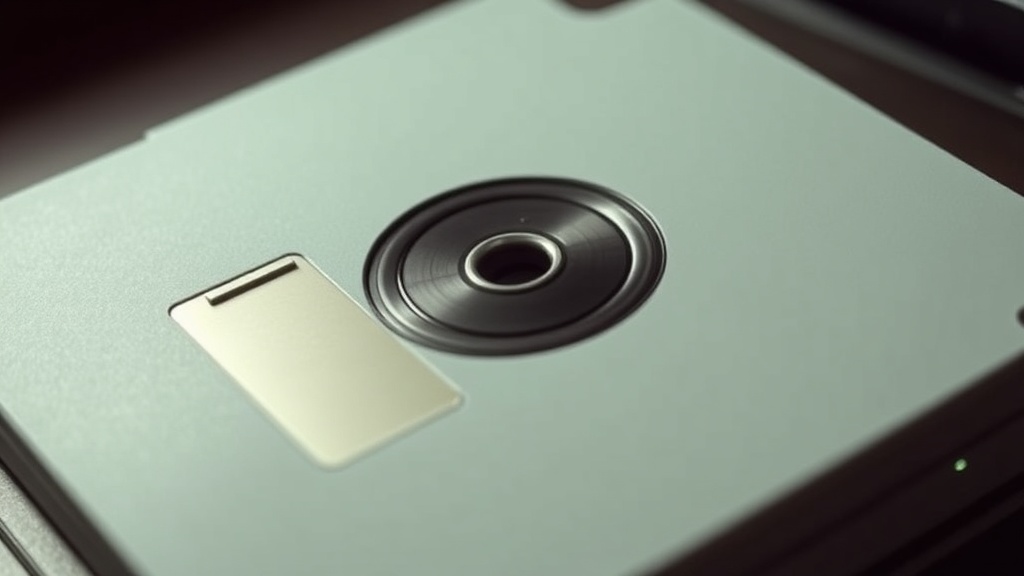
For 3.5-inch disks, vertical storage works fine — they were designed for it. The hard plastic shell provides structure. But keep them in their original cases or sleeves. That sliding metal shutter protects the magnetic surface from dust, fingerprints, and airborne contaminants. A single fingerprint can cause read errors years later when oils break down.
Temperature matters more than most collectors realize. The ideal storage environment stays between 60-70°F (15-21°C) with relative humidity around 40-50%. Basements and attics are terrible choices — they swing between damp and dry, hot and cold. That cycling causes the magnetic binder to expand and contract, potentially flaking off the oxide coating that holds your data.
Light is another enemy. UV exposure degrades plastic and can affect magnetic stability over long periods. Store disks in opaque containers or drawers. If you display them (and who doesn't love seeing those rainbow-colored disk labels?), use UV-filtering acrylic and keep display pieces separate from your archival collection.
How Can You Protect Disks from Magnetic Fields and Physical Damage?
Magnetic media — it's in the name. These disks store data through magnetic orientation of oxide particles. Strong magnetic fields can scramble that orientation, corrupting or destroying data permanently. Keep disks away from speakers, motors, transformers, and yes — that vintage CRT monitor you're restoring.
Most household electronics won't pose a threat at normal distances. But that subwoofer under your desk? Move it. The magnets inside create fields strong enough to affect disks within a few inches. The same goes for phone handsets, electric motors in tools, and magnetic screwdrivers.
Physical handling requires discipline. Never touch the exposed magnetic surface of a 5.25-inch disk — hold it by the edges and the hub ring only. For 3.5-inch disks, avoid forcing the shutter open with your finger. Use the disk in a proper drive; the mechanism opens it cleanly without scratching.
Write-protect your valuable disks. That little notch on 5.25-inch disks (covered with tape) or the sliding tab on 3.5-inch disks prevents accidental overwrites. It's a simple mechanical safeguard that's saved countless rare programs and personal files from well-meaning but disastrous "let me just test this drive" moments.
How Should You Organize and Catalog a Large Disk Collection?
Organization isn't just neat-freak behavior — it prevents the handling damage that comes from rummaging through unlabeled boxes. Develop a cataloging system that works for your collection size. Small collections (under 100 disks) might just need labeled storage boxes. Large collections benefit from database tracking.
Consider photographing disk labels before storage. Those handwritten Sharpie notes fade over time, and a digital backup of the metadata helps you find specific disks without handling them repeatedly. Some collectors use spreadsheet templates; others prefer specialized software designed for media archiving.
Group disks by type and condition. Separate original commercial software from copies, and keep questionable disks (ones that show surface damage or read errors) isolated from your clean collection. Cross-contamination isn't really a thing with magnetic media, but you don't want to accidentally grab a damaged disk when searching for something precious.
For truly rare or irreplaceable disks — original software masters, personal archives, one-of-a-kind BBS uploads — consider making digital backups. Tools like HxC Floppy Drive Emulators and KryoFlux can create preservation-quality disk images that capture every magnetic flux transition. The Internet Archive accepts vintage software donations and maintains extensive collections of preserved disk images.
Handling Disks That Have Been Poorly Stored
Not every acquisition comes from a climate-controlled environment. If you inherit disks from a hot attic or damp basement, don't rush to test them. Let them acclimate to room temperature gradually — rapid temperature changes cause condensation inside the disk jacket, which leads to immediate damage when spun.
Inspect disks before use. Look for visible mold (white or black spots), warping, or cracked shells. Smell them — musty odors indicate moisture damage. When in doubt, clean the exterior gently with isopropyl alcohol on a lint-free cloth, but never attempt to clean the magnetic surface yourself unless you're experienced with media restoration.
Make your first read attempt a "test only" pass using disk imaging software that doesn't write. If the disk reads successfully, image it immediately before attempting to use the original. One good read is sometimes all you get with degraded media.
Long-term Preservation Strategies
Rotate your storage. Every few years, check on archived disks — look for visible degradation, test a sampling of the collection, and ensure storage containers haven't failed. Magnetic media doesn't like being forgotten in a box for a decade.
Consider environmental monitoring. Simple hygrometers (humidity gauges) cost under $20 and can alert you to moisture problems before they damage your collection. If you live in a humid climate, silica gel packets in storage containers help, but they need regular replacement or recharging.
The goal isn't paranoia — it's pragmatism. These disks have already survived 30-40 years. With proper care, they'll survive another 30. The programs, games, documents, and digital artifacts they contain represent irreplaceable computing history. A little attention to storage conditions now preserves that history for future collectors, researchers, and enthusiasts who'll marvel at what we saved.